













































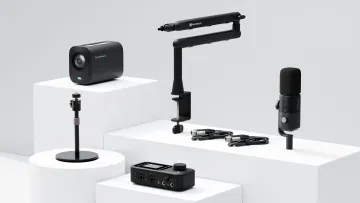
Camera
Webcam
Microphone
Wireless Microphone
Capture Card
Audio Mixer
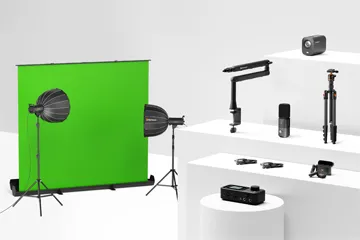
Lighting & Backdrop
Accessories


This guide will establish that selecting the best webcam for streaming is not a mere technical upgrade but a foundational investment in a creator's brand, professionalism, and audience growth. The modern streaming camera is rapidly evolving from a simple USB peripheral into a powerful, all-in-one content creation engine, and understanding this shift is key to staying ahead of the curve. In this comprehensive guide, we will first break down the essential tech specs you need to know to read a product sheet like a professional. Then, we will explore the top market contenders, including a deep dive into an innovative all-in-one solution that challenges the very definition of a "webcam." Finally, we will venture into the future of content marketing, showing you how to amplify your reach with cutting-edge AI tools in ways you never thought possible.
We have all seen it: a stream buffered with promise, a creator with infectious energy, a topic of immense interest—all undermined by a video feed that looks like it was filmed through a potato. In the hyper-competitive landscape of modern content creation, where viewers make snap judgments in seconds, visual quality is the first, and often most critical, handshake with a potential subscriber. A pixelated, poorly lit, or out-of-focus image is more than just a technical glitch; it is a credibility killer, a silent signal that the content may not be worth a viewer's time.
The common pitfall for many aspiring and even established creators is an imbalance of investment. Hours are poured into perfecting gameplay, scripting insightful commentary, or mastering a craft, yet the final delivery mechanism—the camera—is treated as an afterthought. This single point of failure can cause viewers to click away before they ever have a chance to appreciate the substance of the content. A subpar webcam can sabotage the most brilliant performance, turning a potential viral hit into a forgotten stream.
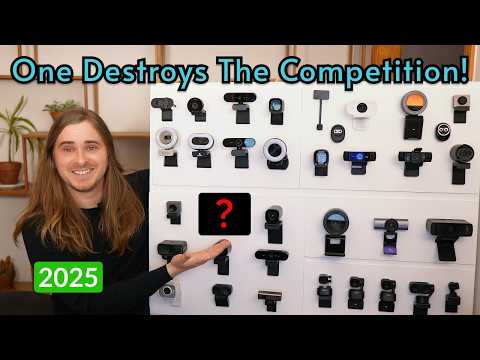
Before diving into specific models, it is crucial to understand the language of video technology. Demystifying the jargon on a specification sheet empowers you to make an informed decision that aligns with your creative needs and budget. This section serves as a foundational educational piece, equipping you to evaluate any camera with confidence.
Resolution and frame rate are the two pillars of video quality. Resolution refers to the number of pixels that make up the image, determining its sharpness and detail. Frame rate, measured in frames per second (fps), dictates the smoothness of motion.
For most live streamers in 2025, targeting a stable 1080p at 60fps stream is the ideal balance of quality and performance. For content that will be edited, recording in 1440p or 4K provides valuable future-proofing and creative flexibility.
While resolution gets the headlines, the lens and sensor are the true heart of a camera. The sensor is the digital "eye" that captures light to create the image. Its size and quality are often more important than raw pixel count for achieving a clean, vibrant picture, especially in less-than-ideal lighting conditions. The NearStream VM33, for instance, is powered by a 5MP CMOS sensor, a common and efficient type of sensor technology known for good performance and power management.1 A larger, higher-quality sensor can gather more light, resulting in less visual "noise" (graininess) in dim environments and a greater dynamic range (the ability to capture detail in both the brightest and darkest parts of an image).
The lens, composed of glass or plastic elements, focuses light onto the sensor. A high-quality glass lens will produce a sharper image with better color accuracy than a cheaper plastic one. The lens's aperture (measured in f-stops, e.g., f/2.0) determines how much light it can let in. A lower f-stop number means a wider aperture, which is better for low-light performance and can create a pleasing, shallow depth of field (the "bokeh" effect where the background is softly blurred).
Field of View describes how much of your surroundings the camera can capture, measured in degrees. The choice of FoV depends entirely on your content style:
Some webcams offer a fixed FoV, while more advanced models provide adjustable or multiple FoV settings, giving you the flexibility to switch between a tight shot and a wider view as needed.
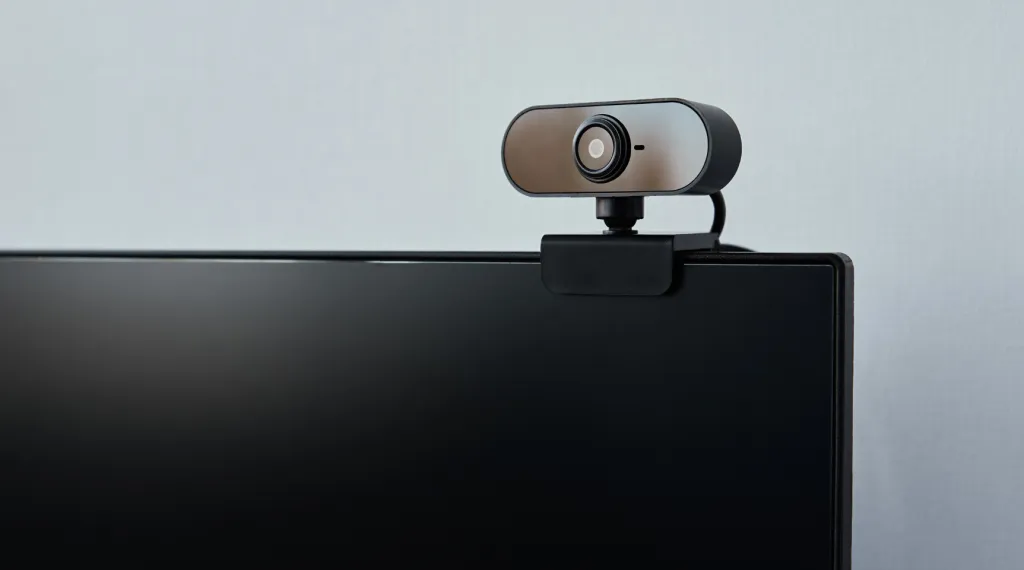
A webcam's ability to maintain a sharp focus on the subject is non-negotiable. A camera that constantly "hunts" for focus, blurring and sharpening as you move, is incredibly distracting for the audience. A great streaming webcam should have fast, reliable autofocus that locks onto your face and stays there, even if you lean forward or back.
This capability is directly tied to low-light performance. In dim conditions, cheaper cameras struggle to find enough contrast to focus properly, and their sensors produce a noisy, grainy image. A camera with a high-quality lens (low f-stop) and a large sensor will not only look better in low light but will also maintain its autofocus performance, ensuring you stay sharp and clear no matter the environment.
Nearly every webcam comes with a built-in microphone, but their quality varies dramatically. Basic webcams often have a simple mono or stereo microphone that sounds thin and picks up a lot of room echo and keyboard clicks. However, a new class of streaming cameras is emerging with far more sophisticated audio solutions.
The NearStream VM33 is a prime example, featuring an impressive 8-MEMS microphone array. This setup can capture 360° audio from up to 16 feet away and employs AI noise-canceling technology to actively eliminate unwanted background sounds like fans or traffic.1 This represents a significant leap forward for integrated audio.
Despite these advancements, a crucial piece of advice for any serious creator remains: for professional-grade audio, an external microphone is almost always the superior choice. A dedicated USB or XLR microphone will provide a richer, warmer, and more isolated vocal sound. The best streaming cameras acknowledge this by offering a pathway to upgrade. The VM33, for instance, includes a 3.5mm audio input, allowing creators to connect an external lavalier or shotgun microphone directly to the camera, blending high-quality video with superior audio in a single stream.1
The specifications of devices like the VM33 signal a fundamental shift in the market. The traditional webcam is defined by its dependence on a host computer for power, processing, and connectivity via USB. The VM33, however, boasts features like a built-in 6400mAh battery, direct Wi-Fi streaming, a microSD card slot for onboard recording, and an advanced 8-mic array with its own AI processing.1 These are characteristics typically found in dedicated camcorders or action cameras. This suggests the market for the
best webcams for streaming is bifurcating into two distinct categories: the traditional, reliable plug-and-play USB peripheral, and a new, emerging class of standalone "streaming cameras" that offer unparalleled versatility, untethering creators from their desks and opening up new possibilities for content creation.
The market for streaming webcams is vast, with options catering to every budget and need. To provide context for where innovative devices fit in, it is helpful to look at the established tiers of the market, from the reliable entry-level workhorse to the professional-grade powerhouse.
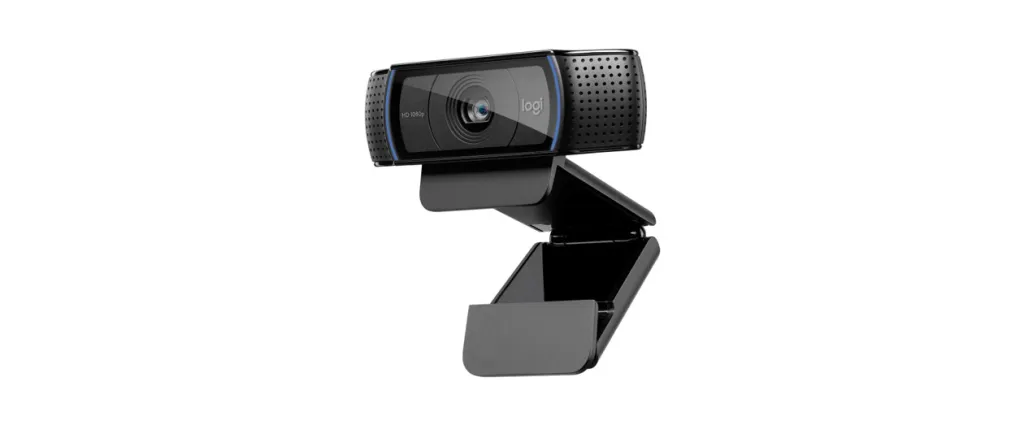
For over a decade, the Logitech C920 family has been the industry's go-to recommendation for anyone starting their streaming journey, and for good reason. It represents the pinnacle of value, delivering a sharp and reliable 1080p video feed for a price that is accessible to nearly everyone. Its plug-and-play simplicity means you can have it up and running in minutes without fiddling with complex software. While it lacks the advanced features of its more expensive counterparts, its consistent performance and excellent image quality for the price make it the perfect starting point for creators testing the waters of streaming.
For streamers who are committed to their craft and ready to invest in a significant quality upgrade, the Elgato Facecam Pro is a leading contender. This type of webcam represents the next logical step up, often featuring uncompressed 4K video capabilities that deliver pristine, artifact-free footage to your computer. It typically boasts a high-quality glass lens and is supported by advanced software, like Elgato's Camera Hub, which gives creators granular control over settings like ISO, shutter speed, and white balance. This is the choice for the dedicated streamer who wants a professional, broadcast-quality image without the complexity of a DSLR setup.

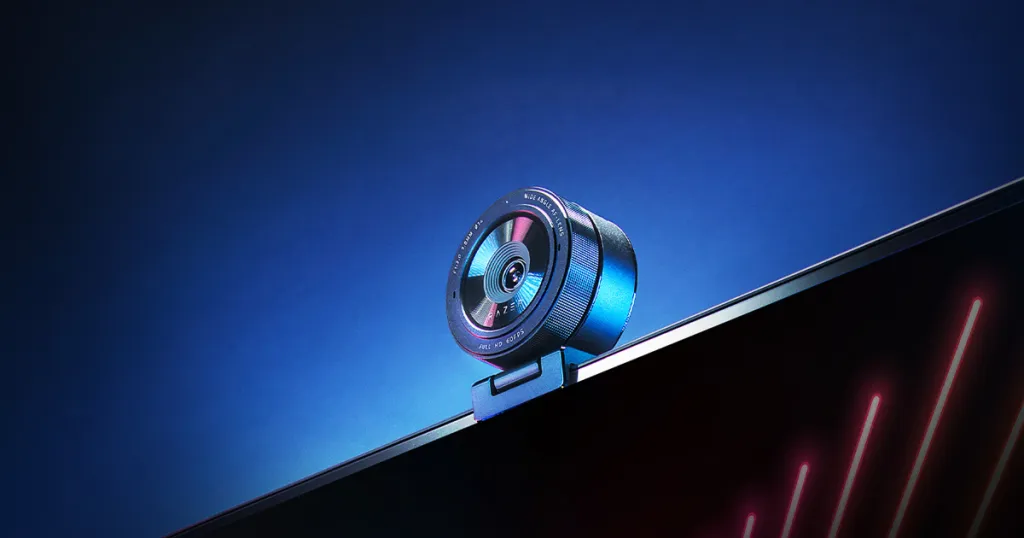
At the top tier of the traditional webcam market are devices like the Razer Kiyo Pro Ultra. These cameras push the boundaries of what a USB-powered device can achieve. Their defining feature is often a massive sensor, comparable in size to those found in some mirrorless cameras. This allows for exceptional low-light performance and the ability to produce a natural, DSLR-like bokeh effect that beautifully separates the subject from the background. This is the webcam for the creator for whom image quality is the absolute top priority and who wants to achieve a cinematic look directly from their camera.
To better understand how these traditional webcams stack up against the new breed of all-in-one streaming cameras, a direct feature comparison is invaluable. The following table highlights the key differentiators, illustrating how each device caters to a different type of creator and showcasing the unique value proposition of a versatile, untethered solution.
| Feature | Logitech C920x (Beginner) | Elgato Facecam Pro (All-Rounder) | NearStream VM33 (All-in-One) |
|---|---|---|---|
| Max Resolution | 1080p / 30fps | 4K / 30fps | 1440p (2K) / 30fps |
| Zoom | Digital | Digital | 40x Hybrid (10x Optical) |
| Connectivity | USB-A | USB-C | Wi-Fi, USB-C, Optional Ethernet |
| Microphone | Stereo | N/A (Focus on Video) | 8-MEMS Array w/ AI Noise-Cancel |
| Key Feature | Affordability & Reliability | Uncompressed 4K Video | Wireless Versatility & Optical Zoom |
| Price Point (MSRP) | ~$70 | ~$299 | ~$359 |
As the table clearly shows, while traditional webcams compete primarily on resolution and sensor quality within a USB-tethered framework, the NearStream VM33 introduces entirely new variables like optical zoom and wireless connectivity, positioning itself not just as a better webcam, but as a different category of creative tool altogether.
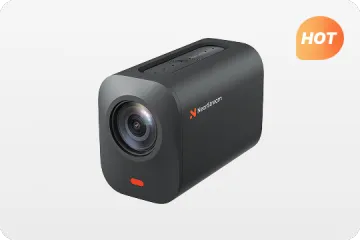
The NearStream VM33 represents a compelling evolution in the creator camera space. It blurs the lines between a high-end webcam, a portable camcorder, and a live production switcher, packaging a versatile feature set into a single, compact device. This deep dive explores its specifications, performance, and ideal use cases to determine who stands to benefit most from this all-in-one approach.
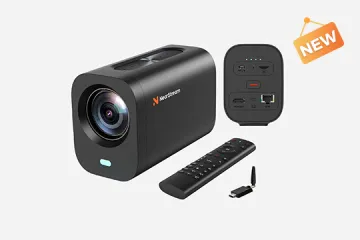
The VM33's spec sheet immediately sets it apart from traditional webcams. It is designed for both tethered and untethered operation, giving creators unprecedented freedom.1
These specifications translate directly into user benefits. The optical zoom and long battery life mean the camera can be placed anywhere in a room—or even outside—to get the perfect shot, making it ideal for multi-camera setups, in-real-life (IRL) streaming, or capturing live events like sports, weddings, or church services.4
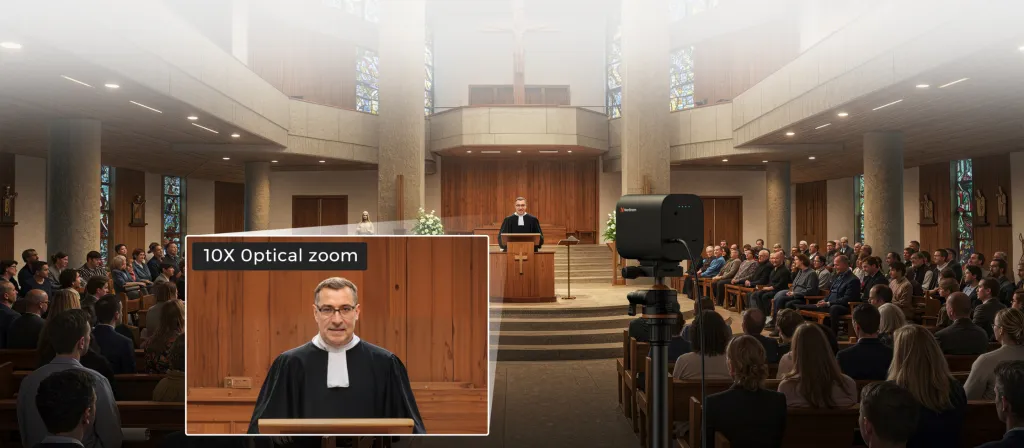
In practice, the hardware delivers on its promise of versatility. The 5MP CMOS sensor combined with the powerful optical zoom allows the camera to capture "sharp, detailed images from long distances".1 This is perfect for a cooking streamer who wants to show a close-up of a sizzling pan from across the kitchen, a tech reviewer demonstrating a specific port on a device without moving the camera, or a coach streaming a practice and zooming in on a player's technique from the sidelines.
The audio system is equally impressive. The 8-MEMS microphone array provides a wide 360° pickup radius of about 16 feet, making it a viable single-device solution for capturing a group conversation around a table for a podcast or a business meeting.1 The integrated AI noise-canceling technology actively works to "eliminate unwanted background noise," ensuring that voices come through with crisp clarity.1
For professional users, the inclusion of built-in NDI technology is a significant advantage.7 NDI (Network Device Interface) is a protocol that allows high-quality, low-latency video to be shared over a standard computer network. This means a VM33 can be placed anywhere with a Wi-Fi signal and its video feed can be instantly accessed by production software like OBS, vMix, or Tricaster on any computer on the same network. This drastically simplifies the process of creating complex, multi-camera productions that once required hundreds of feet of expensive SDI or HDMI cables.
The hardware is only half of the equation. The VM33's true power is unlocked through the free NearStream app, which effectively turns a smartphone or tablet into a mobile production studio.1 The app provides a suite of powerful features:
The system is also designed to evolve, with firmware for the camera being upgradable through the app, ensuring new features and improvements can be added over time.2
The VM33's unique feature set makes it an ideal choice for several distinct creator personas, moving far beyond a simple desktop setup.
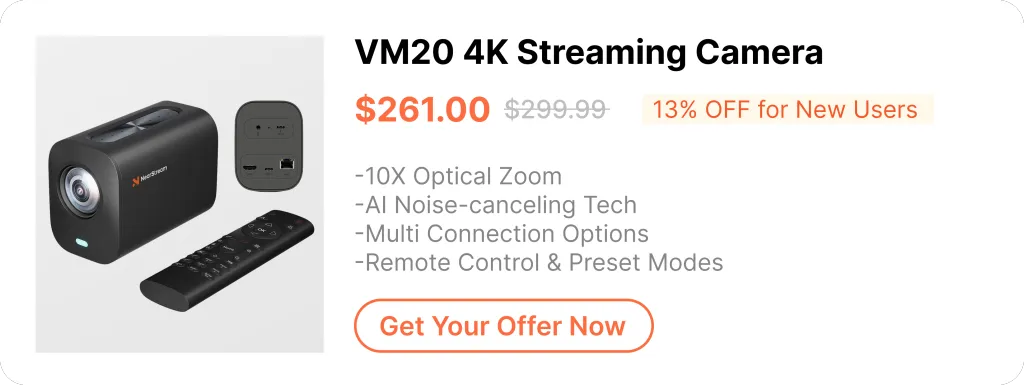
With a retail price of around $359-$399, the NearStream VM33 is a significant investment compared to a standard webcam.1 However, its value proposition must be framed differently. It is not just a webcam; it is a compact, wireless, multi-cam-capable production system. For the right user, it can replace a separate camcorder, a wireless video transmitter, a capture card, and a basic video switcher—a combination of gear that would cost many times more. A YouTube review positions it as a "budget" option for achieving "pro-level streaming," highlighting this excellent value.7 For those on a tighter budget, the used market can also be a viable option, with one unit appearing on eBay for $240.00.9
While the hardware is powerful, it is important to have a balanced perspective. Some reviewers note that the software can have quirks and that the audio quality, while decent, is not a replacement for a dedicated microphone.8 Nonetheless, for the creator whose vision extends beyond the desktop, the NearStream VM33 offers a unique and powerful set of tools that could fundamentally change their production workflow.
Selecting the best webcam for streaming video is a massive step, but it is only one piece of the production puzzle. To truly elevate your stream from good to great, you need to support your camera with the right accessories and strategies. A high-end camera in a poorly lit, echoey room will still produce a subpar stream.
Lighting is the single most impactful element of video quality. Good lighting will make even a mid-range webcam look phenomenal, while poor lighting will make a 4K powerhouse look grainy and unprofessional. The goal is to create soft, even light on your face to eliminate harsh shadows. The standard professional technique is three-point lighting:
For streamers, popular options include large, softbox-style LED panels for key and fill lights, and ring lights that provide a flattering, shadowless light from the camera's position. Investing in a basic lighting kit will yield a more dramatic improvement in your visual quality per dollar than almost any other upgrade.
As discussed earlier, while integrated microphone technology is improving, it cannot compete with a dedicated audio device placed close to the source—your mouth. Your audio quality is arguably more important than your video quality; viewers might tolerate a slightly grainy image, but they will immediately click away from audio that is distorted, echoey, or hard to hear.
For podcasters, in particular, pairing your camera with a dedicated microphone is crucial. Finding the best podcast webcam and audio setup can fundamentally define your production quality and listener experience.
A shaky camera is a distracting camera. While most webcams come with a monitor clip, using a tripod provides far more flexibility and stability. It allows you to position the camera at the perfect height and angle for the most flattering shot, independent of your monitor's position. The accessory recommendations for a versatile camera like the VM33 include both a full-size tripod system like the Magnus VT-4000 for studio setups and a smaller tabletop tripod like the Oben CTT-1000 for desktop use.1 A good tripod is a one-time purchase that will serve you for years, ensuring your shot is always stable and professional.
By 2025, using alternative cameras has become a mainstream strategy for achieving superior video quality. The powerful cameras you already own in your DSLR or smartphone can often outperform even high-end dedicated webcams.
Manufacturer Software: Most major camera brands (Canon, Nikon, Sony, etc.) now offer free software that lets you connect your camera directly via USB, though this sometimes results in lower resolution or a slight delay compared to a capture card.14
Remember to use a "dummy battery" (an AC power adapter) to prevent your camera from dying mid-stream.11
You have invested in the best webcams for streaming, perfected your lighting, and dialed in your audio. You are creating hours of high-quality content. Now, how do you make sure the world sees it? In 2025's social media-driven landscape, audience growth often comes from short, shareable clips that act as advertisements for your long-form content. A fascinating and highly effective strategy leverages artificial intelligence to create these clips: the baby podcast ai.
The "baby podcast ai" trend refers to a category of AI-powered tools that can take a static image—most famously, a picture of a baby—and animate it to speak along with an audio track.20 The AI analyzes the audio and generates realistic lip-sync, head movements, and facial expressions, creating a "talking baby podcast" video.22 The primary goal is to produce "adorable, viral" clips that are perfectly formatted for platforms like TikTok, YouTube Shorts, and Instagram Reels.21
The psychology behind its effectiveness lies in the humorous juxtaposition of a cute or innocent image with adult conversation, a witty podcast moment, or a dramatic monologue. The surprising and often hilarious result is inherently shareable. While the "baby" aspect is the most popular iteration, the underlying technology is far more versatile. Platforms like GoEnhance AI allow users to animate any picture into a talking avatar, including adults, anime characters, or even animals.21
This trend is not just a gimmick; it is a powerful marketing strategy. It represents a fundamental shift in content promotion, moving from a "creation-first" mindset to a "repurposing-first" approach for audience growth. Historically, growing an audience meant constantly creating more primary content. Now, a creator can produce one high-quality, two-hour stream and use AI to "atomize" it into a dozen or more short, promotional clips, generating a full week's worth of marketing material from a single session.
Here is a practical, step-by-step guide to implementing this strategy:
This workflow transforms the AI tool from a novelty into a powerful marketing engine. The high-quality video and audio you capture with your superior streaming setup becomes the essential raw material for these viral clips, creating a perfect synergy between your production quality and your marketing efforts.
A growing number of platforms offer this technology, each with slightly different features and pricing models.
Many of these services operate on a freemium model, offering a limited number of free video generations before requiring a subscription.21 Some mobile apps may also place key features behind a premium paywall, so it is wise to investigate the business model before committing to a platform.26
The journey to a flawless stream begins with a single, crucial choice: your camera. As we have explored, the 2025 streaming landscape offers a vast array of options, each tailored to a different creator's vision. The foundation of any good choice lies in understanding the core specifications—resolution for clarity, frame rate for smoothness, and the quality of the lens and sensor for capturing vibrant light and detail. From the reliable and affordable entry-level models to the 4K powerhouses, there is a traditional USB webcam that can fit nearly any budget and desktop setup.
However, the most exciting developments are happening at the edge of the market, where all-in-one solutions like the NearStream VM33 are redefining what a streaming camera can be. By integrating optical zoom, long-life batteries, wireless connectivity, and a multi-camera software ecosystem, these devices are untethering creators from their desks and empowering them to produce content with a level of dynamic professionalism that was once the exclusive domain of television studios.
Ultimately, the best webcam for streaming is the one that best fits your specific goals, your unique content style, and your budget. There is no single "best" camera for everyone. The right choice for a gamer locked into a tight headshot is different from the right choice for a coach who needs to zoom across a field, which is different still from the podcaster who needs to switch between three different angles on the fly. Your voice, your content, and your personality are unique. Investing in the right gear is not about changing who you are; it is about making sure the world can see and hear you with the clarity you deserve. Now, go turn on the camera and show them what you have got.
Found this 2025 guide helpful? Subscribe to our newsletter for more expert tech reviews, streaming tips, and deep dives into the latest creator tools. If you are ready to upgrade your setup, check out our top recommended gear below. What is the one piece of streaming tech you cannot live without? Let us know in the comments!
Q1: What's more important for streaming in 2025, 1080p or 4K resolution?
A1: For live streaming to platforms like Twitch and YouTube, 1080p at 60fps remains the sweet spot. It provides excellent visual quality that is manageable for the average viewer's internet connection and does not require an excessive amount of upload bandwidth from the streamer. 4K is far more valuable for recording content that you plan to edit extensively. The higher resolution gives you immense flexibility in post-production to crop, reframe, and create multiple shots from a single camera angle without losing quality.
Q2: Can I use a dedicated camera like the NearStream VM33 as a simple plug-and-play webcam?
A2: Yes. Despite its advanced wireless capabilities and internal battery, the NearStream VM33 is designed for versatility. It can be connected directly to a computer via its included USB-C cable and will function as a high-quality webcam, recognized by popular software like OBS, Zoom, Twitch, and Facebook for a simple, high-quality, tethered setup.1
Q3: How much should I budget for one of the best webcams for streaming in 2025?
A3: The budget can vary widely based on your needs. A fantastic entry-level 1080p webcam that will serve a beginner well can be found for under $70. Mid-to-high range models with better sensors and more software features typically fall in the $150-$300 range. All-in-one specialty streaming cameras like the NearStream VM33 are in the $350+ range, but their value comes from potentially replacing multiple pieces of equipment like a camcorder and video switcher.1
Q4: Is it still worth getting a separate microphone if my webcam has one built-in?
A4: Absolutely. While some high-end webcams like the VM33 have remarkably good built-in microphone arrays with features like AI noise-canceling, a dedicated external USB or XLR microphone will almost always provide superior audio quality.1 Because you can place an external mic much closer to your mouth, it captures a richer, clearer, and more isolated vocal sound with less room echo. Upgrading your audio with an external mic is often considered the single most impactful improvement you can make to your stream's overall production quality.
Q5: Is it better to use a DSLR or my smartphone as a webcam instead of buying a dedicated one?
A5: It depends on your priorities. Using a DSLR with a capture card will provide the best possible image quality, with a professional, cinematic look that no webcam can match.13 Using your smartphone is an excellent, low-cost alternative that often provides better quality than budget webcams.16 However, both options can be more complex to set up than a simple plug-and-play webcam and can tie up a device you might need for other things. A dedicated webcam offers the most convenience and reliability for a permanent desktop setup.
Q6: Are AI video tools like a 'baby podcast ai' generator difficult to use?
A6: No, these tools are specifically designed for simplicity and speed. Most platforms feature a straightforward three-step process: 1) upload your image, 2) upload your audio clip or type in text for an AI voice, and 3) click "generate." They are built to allow content creators, even those with zero video editing experience, to produce viral-style, shareable clips in just a few minutes, making content repurposing accessible to everyone.24

Get exclusive NearStream offers and catch the latest in features, updates, and more.
By signing up, you agree to NearStream's Privacy Policy.






 sales@nearstream.us






