Key Elements of Audio Mixing: Volume, Panning, Equalization, and Effects
Audio engineers concentrate on four main elements of sound mixing if they want a good sound:
- Volume: Juggling the loudness of many components prevents one sound from overwhelming the mix. In a podcast, for instance, your voice should be clear and front and center while background music stays subdued.
- Panning: Distribution of sounds throughout the stereo field—left and right speakers—allows space and depth. In music production specifically, where instruments can be positioned deliberately to provide a whole sound, this is quite helpful.
- Equalization (EQ): Equalizing (EQ) particular frequency ranges will help to improve clarity. Eliminating low-end rumble from a mic for a computer, for example, can help speech seem clearer.
- Result: Reverb, delay, compression, and other effects give a recording character and richness. In a large space, for example, a little echo might help a voice sound more realistic.
Producing immersion, professional, and polished audio depends on mastering these components. Using the correct tools and methods will enable you to easily mix audio files and replicate the sound of a high-end studio on your recordings.
Why is Audio Mixing Important?
The following justifies the significance of audio mixing:
Enhancing Clarity and Balance in Your Audio
Imagine seeing a YouTube video in which the background music covers the speaker's voice. Frustrating, indeed. This is exactly the reason appropriate audio mixing technique counts. Mixing done well guarantees that every sound is interesting, balanced, and clear.
Comparatively, to videos with bad sound, statistically, 85% of viewers are more likely to remain interested in the material when the audio quality is high. Stated differently, if your audio mix is professional, neat, and clean, your audience will stay around.
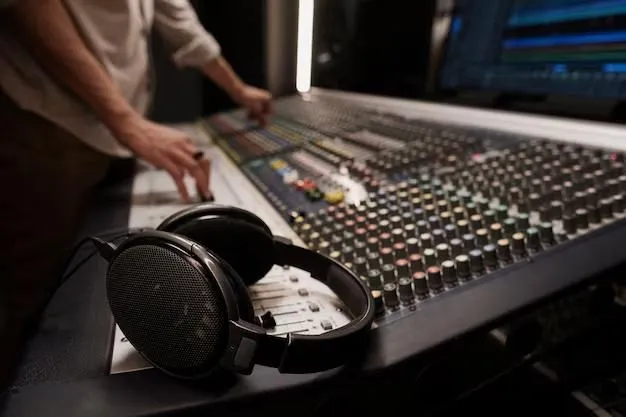
Audio mixing is not only important for musicians but also for many other media outlets.
- Podcasts: Good audio mixing guarantees clean voices, an appropriate degree of background music, and the absence of annoying noise in podcasts.
- Music Production: Good mixing accentuates the best in every instrument, balances voices, and guarantees the song sounds fantastic on all devices.
- Video Content: Sound mixing helps dialogue shine out in both professional films and YouTube tutorials, preserving an immersive background.
- Live Streaming: A well-mixed audio system keeps viewers interested and guarantees flawless, professional sound for streamers.
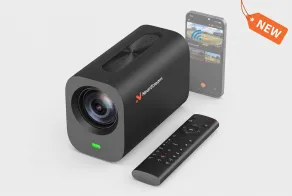
The DSLR Quality Optical Streaming Camera delivers stunning 4K video, making it the perfect choice for content creators and live streamers.
Audio Mixing vs. Mastering: What's the Difference?
Here is the difference between the two:
Defining Audio Mixing vs. Mastering: Why Both Are Crucial
Although many people think audio mixing and mastering are the same, in sound production they play different functions. Mixing is about combining several tracks—adjusting volume, EQ, panning, and effects—to produce a harmonic, polished sound. The last stage is mastering, which polishes the whole mix to guarantee uniformity, clarity, and best playing on every device.
When to Focus on Mixing and When to Shift to Mastering
If you work with raw recordings, concentrate first on how to mix audio files—balancing levels and using effects to improve clarity. Mastering guarantees the last track is clear, loud enough, and ready for distribution once the mix is finished. A solid audio mix renders the sound professional; mastering goes one step further and polishes the final production.
How to Mix Audio Files: A Step-by-Step Guide
Follow these steps to mix audio files
1. Set Up Your Digital Audio Workstation (DAW)
Sound mixing calls either a DAW like Adobe Audition, GarageBand, or FL Studio. Make sure your PC's audio mixer is set up properly; utilize a high-quality mic for computers to record clean sound.
2. Organize Your Audio Files: Track Arrangement and Levels
Organize your songs rationally; voices, background music, and effects should be easily under control. Change the volume to strike equilibrium and make sure the major components aren't drowned out.
3. Enhance Your Sound with EQ and Effects
Use EQ to soften harsh highs and clear out undesired frequencies—reducing low-end rumbling for clarity. While delay and reverb can offer depth, too much will muddy your mix.
4. Manage Dynamics: Compression, Limiting, and Transients
Compression evens out variations in volume, hence producing uniform voice and instrument sound. A limiter stops distortion, and transient shaping guarantees an exact attack on percussive parts.
5. Finalize the Mix: Fine-Tuning and Balancing for Clarity
Listen on many devices to guarantee a balanced audio mix. Over 90% of listeners prefer clear, well-balanced audio. Hence a poorly mixed recording can lose engagement. Once happy, export in premium formats including WAV or FLAC.
Your recordings will be better if you know how to utilize an audio mixer and master how you mix audio effectively, thereby guaranteeing professional and interesting sound on all platforms.
How to Use Audio Mixer: Tips and Tricks for Beginners
Here is how you should use an audio mixer:
Understanding the Controls: Channels, EQ, and Faders
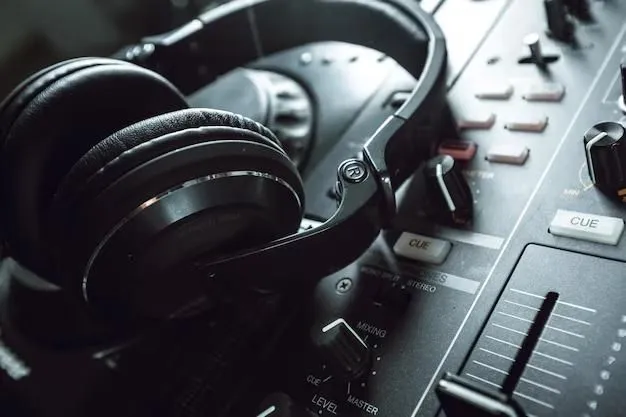
Three basic purposes define an audio mixer for PC: channels to regulate sound sources, EQ to change frequencies, and faders to control volume. Multiple inputs are made possible by channels; EQ changes the tone; faders assist in balancing the whole audio mix. Achieving clear, professional sound mixing requires mastery of these fundamentals.
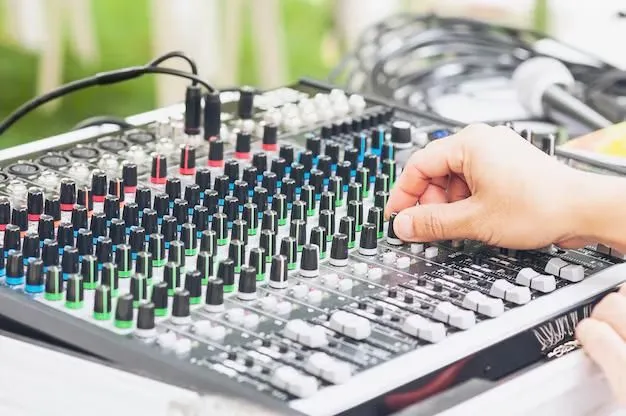
Basic Techniques for Mixing with an Audio Mixer
Starting with appropriate input levels to prevent distortion, learn how to mix audio files. Create depth and position sounds in the stereo field using panning. While fine EQ adjustments improve clarity, little compression evens out volume variations. Little, deliberate tweaks rather than major overhauls produce the best results.
How to Choose the Best Audio Mixer for Your Needs
Your setup determines the appropriate audio mixer PC needs. Podcasters and streamers running a mic on a computer would find a basic USB mixer perfect. A multi-channel mixer with built-in effects gives musicians or professionals managing several inputs more control. Your selection should match your particular requirements for audio mixing.
Common Mistakes to Avoid When Using an Audio Mixer
Using an audio mixer incorrectly mostly depending on presets instead of fine-tuning settings for every recording is one of the major errors in technique. Furthermore ruining a mix is poor room acoustics, hence background noise must be minimized. Finally, to guarantee balanced sound across all playback systems, always test your mixer audio on several devices.
Best Audio Mixers for Your Setup
Top PC Audience Mixers: Low-Cost vs. High-End Choices
For novices, reasonably priced choices with necessary sound mixing capabilities include the Behringer Xenyx series. High-end devices such as the Yamaha MG series provide sophisticated capabilities for experts requiring more freedom in how to properly combine audio files. The Portable Audio Mixer provides seamless audio mixing, offering precise control over sound for podcasts, music, and live performances.
How to Choose the Right Audio Mixer for Your Needs
If you require an audio mixer for a PC, give built-in preamps, effects, and USB connectivity some thought. While musicians might need a mixer with multi-channel capability, those utilizing a mic for a computer should give top priority to simplicity of use. Your workflow and degree of experience will determine the correct path. Get crystal-clear recordings with the USB & XLR Condenser Microphone, designed for studio-quality vocals and instrument capture.
Our Top Picks for Audio Mixers in 2025: NearStream AMIX Series
The NearStream AMIX series stands out among the top choices in audio mixing for its excellent preamps, easy controls, and simple interface. For a professional audio mix, this is a dependable solution whether your project involves podcasting, streaming, or recording music. The Wireless Microphone ensures clear and interference-free sound, making it a great choice for podcasters, presenters, and performers.
Following are the best suggestions for audio and music mixing software tools
Top Digital Audio Workstations (DAWs) for Beginners and Professionals
Audio mixing calls for a Digital Audio Workstation (DAW). Starting with Audacity or GarageBand, which provides simple sound mixing tools, beginners can Advanced editing, effects, and automation tools of Pro Tools, Ableton Live, or FL Studio to appeal to professionals. A competent DAW facilitates more exact and simple mixing of audio files.
Beyond DAWs, EQ plugins, compressors, and reverb effects, design a professional audio mix. Refine sound quality with tools including FabFilter, iZotope, and Waves. For projects, sound libraries as Splice and Loopmasters provide royalty-free audio. These instruments provide easy mixing of audio files for professional recordings.
Audio Editing Software: From Descript to Audacity – What You Need to Know
Popular choices for basic audio mixing are Audacity (perfect for simple adjustments) and Descript (excellent for podcasts). For additional control, Adobe Audition and Reaper offer mixer audio capabilities devoid of the complexity of a full DAW.
How to Mix Audio for Podcasts, Videos, and More
These are the ways you can opt for:
Mixing Audio for Podcasts: Ensuring Clear, Professional Sound
Good sound mixing guarantees harmonized background music and intelligible speech. For a computer running an audio mixer for PC, using a mic helps to maintain constant levels. Podcasts sound clean and professional thanks to compression evens out of volume, EQ removes noise, and noise reduction features prevent static.
Audio Mixing for Video: Syncing Dialogue, Music, and Sound Effects
In video production, mixing audio includes harmonizing conversation, music, and sound effects for a flawless experience. Clear dialogue, subdued background music, and well-integrated sound effects should all be present. A good audio mixer guarantees flawless transitions and an immersive output at last. Learning how to operate an audio mixer enhances the caliber of every project, including podcasts, videos,
Capture every detail with precision using the 10X Optical Zoom Wireless Streaming Camera, ideal for professional broadcasting and high-quality streaming.
Frequently Asked Questions About Audio Mixing
What Do I Need to Start Mixing Audio?
Starting audio mixing requires a good mic for a computer, an audio mixer for PC, and a DAW such as Audacity or FL Studio. A multi-channel mixer audio arrangement is helpful if you work with several tracks; studio headphones aid with exact sound mixing.
What Are the Basic Rules for Mixing Audio?
A well-balanced audio mix guarantees that none of any component dominates the others. Change volume; use EQ to clear muck; add compression to even out dynamics. Excellent sound mixing maintains audio clarity and interest free of distortion.
How Difficult Is It to Mix Music or Audio Professionally?
Although excellent mixing of audio requires time and experience, the correct tools help to make it simpler. Combining audio files requires knowledge of sound layering, effects, and loudness balance. Anyone can get better with time and the appropriate audio mixer.
What is the Best Audio Mixer for PC or Home Studios?
The ideal audio mixer will rely on your requirements. NearStream AMIX series USB mixers are easy for novices. Advanced users could want multi-channel mixers with built-in effects for more mixer audio control.













































































 sales@nearstream.us






