Best YouTube Video Size Guide 2025: Dimensions & Resolutions
the best YouTube video sizes, the optimal aspect r
youtube video size
youtube video dimensions
youtube aspect ratio
Updated: May 12, 2026 · 8 minutes read
Modular Video Kits for Growing Business.
In the ever-evolving world of digital content, YouTube remains one of the most powerful platforms for creators, brands, educators, and entertainers alike. But creating high-quality videos that look great on all devices isn't just about good storytelling or sharp editing. One of the most overlooked yet crucial aspects of video production is adhering to YouTube's video size, dimensions, and resolution standards.
Understanding and applying the right YouTube video dimensions and aspect ratios ensures that your content plays back flawlessly across smartphones, tablets, laptops, and smart TVs. It helps preserve visual clarity, avoids awkward black bars, and keeps viewers engaged. For content creators, this seemingly technical detail plays a huge role in channel growth, viewer retention, and long-term brand identity.
In this blog post, we’ll walk you through the best YouTube video sizes, the optimal aspect ratios, and how to choose the right video resolution for different types of YouTube content. Whether you're a vlogger, gaming streamer, brand marketer, or casual uploader, this comprehensive guide has you covered.
Why Should You Care About YouTube Video Dimensions and Resolutions?
You might be tempted to ignore technical specifications and just upload your video straight from your phone or camera(streaming video cameras). But if your video has the wrong aspect ratio or is shot in a lower-than-optimal YouTube video resolution, it may look distorted, pixelated, or poorly cropped when viewed by your audience.
Here’s why understanding YouTube video size and dimensions is critical:
Professionalism: High-quality formatting makes your channel look polished and trustworthy.
Better Viewer Experience: The right resolution avoids blurriness and ensures your content looks sharp on all screen sizes.
Algorithmic Boost: YouTube favors HD and high-resolution videos in its search and recommendation algorithms.
Increased Engagement: Viewers are more likely to watch and interact with videos that look good and load properly on their devices.
The Best YouTube Video Dimensions and Resolutions
YouTube supports a wide range of video resolutions, from basic 240p to ultra-clear 8K. The YouTube video size you choose should reflect your content goals, editing capabilities, and audience expectations.
Let’s break them down:
426 x 240 pixels (240p): The minimum YouTube resolution. Not recommended unless bandwidth is extremely limited.
640 x 360 pixels (360p): Low standard definition. Can be used for old footage or low-priority content.
854 x 480 pixels (480p): Acceptable SD resolution, often used for interviews, quick vlogs, or educational content.
1280 x 720 pixels (720p): The entry point into HD. YouTube considers 720p the minimum for HD-quality playback.
1920 x 1080 pixels (1080p): Full HD and the current standard for most content creators. Great for everything from vlogs to music videos.
2560 x 1440 pixels (1440p): Also known as 2K. Offers higher clarity for tech reviews, product demos, or visual storytelling.
3840 x 2160 pixels (2160p): This is a 4K resolution. Ideal for cinematic footage, drone shots, or high-end YouTube content.
7680 x 4320 pixels (4320p): 8K resolution is bleeding-edge and requires heavy processing power. Best used for experimental or ultra-high-definition nature and travel videos.
Always aim to upload the highest resolution video you can reasonably produce and edit. YouTube will automatically downscale it for lower-speed connections, so your viewers will always get the best quality their device can handle.
Resolution
Pixel Size
Quality Name
Use Case / Device
Aspect Ratio
Playback Quality
240p
426 x 240
Low
Mobile phones, slow internet
16:9
Basic, grainy
360p
640 x 360
SD (Standard Def.)
Entry-level quality, mobile data use
16:9
Acceptable
480p
854 x 480
SD (DVD Quality)
Low-bandwidth desktop and mobile
16:9
Slightly better
720p
1280 x 720
HD (Minimum HD)
Live streams, mobile HD
16:9
Good
1080p
1920 x 1080
Full HD
Standard YouTube HD, desktops
16:9
Excellent
1440p
2560 x 1440
2K
High-res monitors, gaming content
16:9
Super sharp
2160p
3840 x 2160
4K UHD
Professional videos, high-end setups
16:9
Ultra-clear
4320p
7680 x 4320
8K
Experimental, ultra HD TVs
16:9
Extreme clarity
YouTube Aspect Ratios: Why They Matter
The YouTube aspect ratio defines the shape of your video frame. Choosing the right one can impact how your video is displayed on different screens.
16:9 (Widescreen): This is the default and most widely used aspect ratio on YouTube. It’s perfect for most content types and displays cleanly on all modern devices.
4:3 (Standard): Used for older or vintage content. While still accepted, it appears with black bars on the side on most modern screens.
1:1 (Square): Great for Instagram or TikTok cross-posting, but may appear with black bars on YouTube’s desktop and mobile interface.
9:16 (Vertical): Ideal for YouTube Shorts and mobile-first content. YouTube adjusts the interface to make these vertical videos fullscreen on phones.
To ensure your content looks its best, always shoot and edit your videos in the aspect ratio that suits your target format—especially if you're repurposing content for multiple platforms.
What YouTube Video Formats Work Best?
Aside from the YouTube video size and resolution, the file format you choose also affects playback quality and upload success. YouTube supports several video formats, but some are better than others.
Preferred Video Format:
MP4 – with H.264 video codec and AAC audio codec. This format offers a perfect balance of video quality and file size.
Other Supported Formats Include:
Format
Use Case/Best For
Pros
Cons
Supported Codecs
MOV
Apple/macOS users, ProRes workflow
High quality, lossless support
Large file size, slower upload
H.264, ProRes
AVI
Archival footage, legacy systems
High quality, less compression
Huge files, outdated
DivX, XviD
WMV
Windows native formats
Good quality, smaller size
Poor cross-platform support
WMV9
FLV
Flash video archives
Small file size
Outdated, not ideal for modern use
Sorenson, VP6
3GPP
Mobile phone recordings
Small files, mobile-native
Low quality
H.263, AMR
WebM
Open-source workflows
Small size, modern HTML5 support
May not work in all editors
VP8/VP9, Opus
MPEG-PS
DVD files, legacy
Used in TV broadcasts
Complex editing, rarely used now
MPEG-2
HEVC (H.265)
High-efficiency compression, 4K/8K videos
Smaller files at high quality
Longer processing times, not supported by all browsers
HEVC
For best results, always export your final video as an MP4. Not only does it upload quickly, but it also provides excellent compression without losing visible quality.
Maximum YouTube Video Length and File Size
YouTube has certain limitations to ensure the platform runs smoothly for billions of users:
Maximum File Size: 128 GB. This is more than enough for most content—even 4K or long-form videos.
Maximum Video Length: Up to 12 hours, but only for verified accounts. If you're not verified, you're limited to 15 minutes.
To stay under the file size limit, consider compressing your video using editing tools like Adobe Premiere Pro, Final Cut Pro, or HandBrake—especially if you're uploading in high YouTube video resolutions like 4K or 8K.
YouTube Thumbnail Specs: Your Video’s First Impression
Your video thumbnail is like a mini billboard. A properly sized and formatted thumbnail can dramatically increase click-through rates.
Recommended Dimensions: 1280 x 720 pixels.
Aspect Ratio: 16:9 (matches YouTube player).
Accepted File Types: JPG, PNG, or GIF.
Max File Size: 2 MB.
Keep your thumbnail text bold and readable. Ensure the key visual elements (like your face or product) are centered to avoid being cropped on mobile devices.
Special Formats: Shorts and Live Streams
Not all YouTube videos follow the standard widescreen template. YouTube has rolled out special features for specific formats like Shorts and Live Streams.
YouTube Shorts
Resolution: 1080 x 1920 pixels
Aspect Ratio: 9:16 (vertical)
Duration: Up to 60 seconds
Shorts are perfect for fast-paced, mobile-friendly content like memes, tips, behind-the-scenes, and teasers. They load instantly and autoplay—great for boosting impressions.
YouTube Live Streams
Minimum Resolution: 1280 x 720 (720p)
Recommended: 1920 x 1080 (1080p)
Aspect Ratio: 16:9
Frame Rate: Up to 60fps
Live streams are best suited for events, Q&A sessions, gaming, music, and reaction videos. Invest in good lighting, a solid internet connection, and software like OBS or Streamlabs for best results.
Choosing the Right YouTube Video Size Based on Your Content Type
Here’s a quick guide to help you decide which YouTube video resolution and format works best for different types of content:
Vlogs and Lifestyle Content: 1080p, 16:9. This is the gold standard for influencers and daily uploads.
Gaming and Tech Reviews: 1080p or 1440p, 16:9, 60fps. The clarity and frame rate make gameplay and tech demos pop.
Educational Videos or Tutorials: 720p or 1080p, 16:9. You can scale depending on your budget and editing workflow.
Music Videos or Cinematic Content: 4K (2160p), 16:9 or 21:9. Shoot in high resolution to allow zooms and color grading flexibility.
Product Reviews / Unboxings: 1080p or 1440p, 16:9. Prioritize clear, bright lighting and sharp visuals.
YouTube Shorts: 1080 x 1920, 9:16. Keep it vertical and mobile-optimized.
Podcast Videos or Interviews: 1080p, 16:9. Static or minimal motion content still benefits from crisp clarity.
Boost Your Content Quality: Pro Gear Meets Perfect YouTube Specs
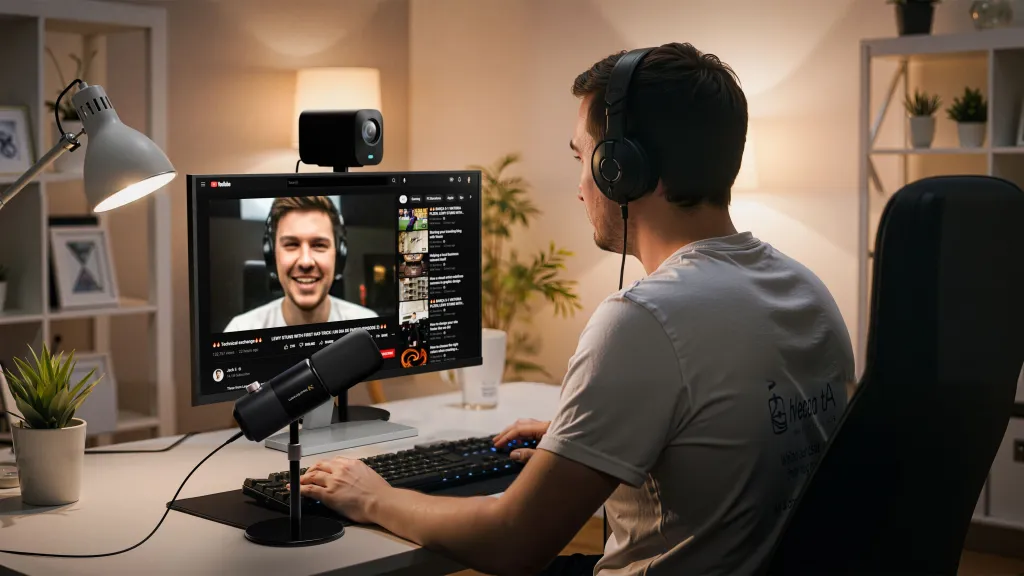
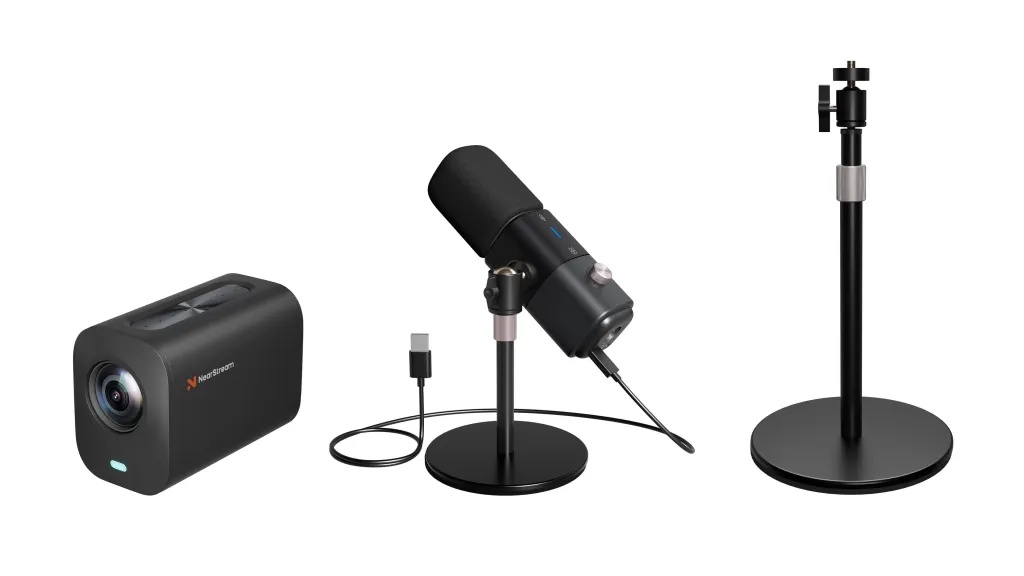
If you're aiming for pro-level YouTube content, the NearStream YouTuber Kit is a smart choice, which is made for perfect video size and resolution. The VM20 (best quality webcam) captures stunning 4K video (3840 x 2160 pixels)—one of YouTube’s top resolutions—while the AM25X Microphone delivers clear, noise-free audio. This combo fits perfectly with YouTube’s recommended video dimensions and aspect ratio (16:9), making it easy to create high-quality uploads that look and sound amazing across all devices.
Final Thoughts
Mastering YouTube video size, aspect ratio, and resolution isn’t just a technical detail—it’s a game-changer. The way your content looks can define how it's perceived, shared, and ranked by YouTube’s algorithm.
If you want your content to look crisp, professional, and platform-optimized, start every project with the right dimensions in mind. Whether you’re filming a short-form vertical video or a full-length documentary in 4K, formatting matters.
So keep your content consistent, your visuals sharp, and always refer back to the latest YouTube specs as the platform continues to evolve.
FAQs on YouTube Video Size, Resolution, and Format
Q: Can I upload videos with different aspect ratios? A: Yes, but if your video is not in 16:9, YouTube may add black bars to fill the space on standard screens.
Q: What happens if my video exceeds the maximum file size? A: YouTube will reject the upload. You'll need to compress the file or reduce the length/resolution.
Q: Is there a preferred frame rate for YouTube videos? A: YouTube supports frame rates up to 60fps. Choose based on the nature of your content—60fps is ideal for gaming, sports, and action, while 24–30fps works well for vlogs and storytelling.















































































 sales@nearstream.us






