Best Buy Green Screen for Streaming Background in 2025
Offering setup tips on streaming backgrounds, and exploring the best buy green screen options in 2025.
streaming background
best buy green screen
Updated: Feb 25, 2026 · 8 minutes read
Modular Video Kits for Growing Business.
In 2025, your streaming background isn’t just a backdrop — it’s part of your brand. Whether you're going live on Twitch, hosting a YouTube stream, or recording a video podcast, how your stream looks can directly impact your credibility, engagement, and growth. A professional streaming background helps set the tone, reflect your content style, and keep your audience focused.
Over the years, the streamer backdrop has evolved from cluttered bedrooms to polished, high-quality environments. Thanks to tech advancements like green screens and dynamic overlays, today’s streamers can transform any space into a professional virtual studio. In this blog, we’ll offer setup tips on streaming backgrounds, and explore the top-rated best buy green screen options available in 2025. If you're serious about streaming, let's dive in together...
Types of Streaming Backgrounds: Which One Fits Your Style?
Choosing the perfect streaming background depends on your goals, space, and type of content. Let’s explore the three most common options:
Natural Room Setup
Pros:
Requires no additional equipment
Offers an authentic, “come as you are” vibe
Cons:
Challenging controlling lighting and background clutter
May look unprofessional if not carefully curated
A natural room setup works best for casual streamers or those who want to connect with their audience on a personal level. Just remember: what’s behind you is part of the show.
Decorated Physical Backdrop
Ideas:
LED strip lighting
Posters or art prints
Bookcases or collector displays
Neon signs with your username or logo
This style is perfect for creators who want a branded, personal touch while maintaining a consistent stream background. It takes more effort than a plain room, but it can help reinforce your identity and keep viewers engaged.
Green Screen Backdrop (Focus Section)
Pros:
Ultimate flexibility with virtual backgrounds
Lets you switch scenes based on content—gaming, interviews, reviews
Keeps your stream looking polished and distraction-free
Cons:
Requires solid lighting and camera calibration
May need additional software or plugins
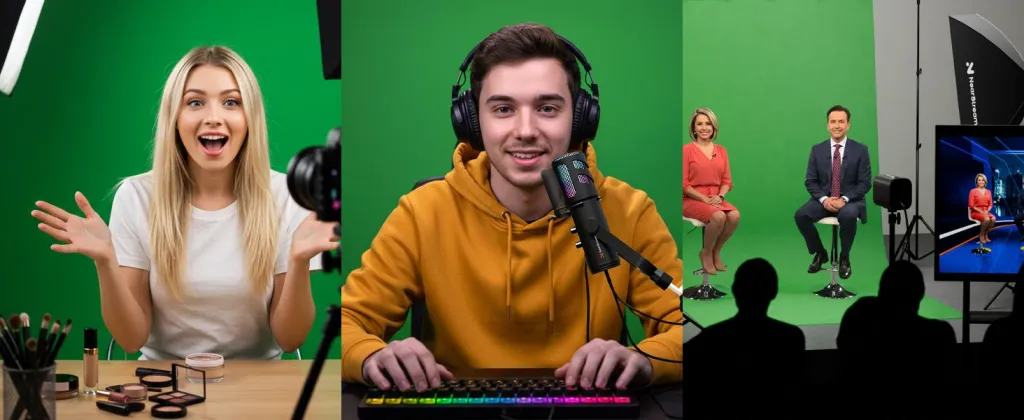
A green screen backdrop is ideal for streamers looking to deliver a highly immersive experience. Whether you’re showing gameplay, presenting tutorials, or hosting live interviews, a green screen lets you place yourself in any environment without needing a physical studio. Especially for those focused on backgrounds for Twitch, a quality green screen can make even a small apartment feel like a professional studio.
Why a Good Stream Background Matters in 2025
In the saturated world of online content, first impressions are everything. A messy or poorly lit stream background can instantly turn viewers away, while a clean and well-designed streamer backdrop signals professionalism and care.
As competition grows fiercer on streaming platforms like Twitch, standing out visually has become essential. A great background for Twitch isn't just about aesthetics; it's about building trust and delivering a consistent viewing experience.
This is where green screen backdrops shine. They allow you to create completely customized, immersive scenes tailored to your brand or content theme — whether you're a gamer exploring fantastical worlds, a vlogger sharing lifestyle tips, or an educator delivering professional webinars. Investing in the right setup — like a best buy green screen— can instantly elevate your content’s appeal.
Green Screen vs. Physical Streamer Backdrop: A Detailed Comparison
Feature
Green Screen Backdrop
Physical Streamer Backdrop
Visual Flexibility
Extremely high — can switch to any virtual background instantly.
Limited to physical objects and decoration in your room.
Customization Options
Unlimited — from game-themed scenes to branded studios or animated environments.
Depends on your creativity, budget, and available physical space.
Space Requirements
Requires space behind you and distance between you and the screen to avoid green spill.
Varies — you can decorate even a small corner effectively.
All-in-One Streamer Backdrop Setup Without a Big Budget
For creators who want the full studio experience, the VK40 Kit delivers both high-quality lighting and a massive green screen backdrop in one convenient package.
2 Large 24"x24" Softbox Lights for smooth, even lighting
19” Dimmable Panel Light with remote control for perfect brightness and color temperature
Expansive 9.8ft x 9.8ft Green Screen for immersive backgrounds
3 Adjustable Stands & Clamps for flexible, stable setup
Quick Setup + Carry Bag for easy transport and storage
Ideal for Twitch streaming, YouTube content, interviews, and pro-level video production. This kit gives you full control over your stream background, making it the most complete solution on the market.
Besides hardware, if you’re curious about which streaming software supports green screen removal, check out our blog post: Top Streaming Software. We cover popular tools like OBS and Streamlabs, and show you how to get the most out of your streaming background.
How to Choose the Right Green Screen for Your Streaming Setup
Room Size:
Small space? Opt for a collapsible green screen backdrop. Larger setups can handle full kits like the VK40 for a more immersive streaming background.
Budget:
Entry-level options work for casual creators, but if you're serious, invest in a best buy green screen like VK40 or Elgato for top performance.
Portability vs. Permanent Setup:
Need mobility? Choose lightweight, foldable streamer backdrop options. For fixed studios, sturdy background stands are ideal.
Lighting Conditions:
Even the best stream background fails without proper lighting. Use softbox or panel lights to eliminate shadows and wrinkles.
Software Compatibility:
Make sure your green screen works seamlessly with OBS, Streamlabs, Zoom, or NVIDIA Broadcast—essential for a professional background for Twitch.
Green Screen Setup Tips for a Flawless Streaming Background
Use Consistent Lighting:
Place softbox lights (like those in the VK40 kit) on both sides for balanced lighting.
Keep the Screen Taut:
A tight, wrinkle-free green screen backdrop ensures clean chroma key results.
Mind the Distance:
Stay a few feet from the screen to reduce green spill on your body or gear.
Test Before Going Live:
Use OBS or Streamlabs preview mode to fine-tune your stream background.
Upgrade as You Grow:
Start simple, then improve your streamer backdrop with better lighting, stands, or a larger background for Twitch as your channel expands.
Conclusion: Is a Green Screen Worth It for Streaming in 2025?
Yes — 100%. If you want to level up your streaming background, a green screen backdrop is a game-changer. With so many creators on Twitch, YouTube, and beyond, standing out visually really matters.
A good streaming background makes your content look clean, pro, and polished. Whether you're gaming, teaching, or chatting with fans, a best buy green screen all-in-one kit like the VK40 Kit can give you endless creative options.
Just remember: test your setup, make small upgrades over time, and treat your streamer backdrop like part of your brand. It’s more than just a background—it’s your stage.
FAQs
Q: What’s the difference between a stream background and a green screen backdrop?
A: A green screen backdrop allows you to digitally replace your stream background with virtual scenes.
Q: Can I use a green screen on Twitch?
A: Yes, Twitch fully supports chroma keying through OBS and other streaming software.
Q: What’s the best size for a streamer green screen?
A: At least 5x7 feet, but it depends on your camera framing and movement space.
Q: Is lighting really that important for green screens?
A: Absolutely — uneven lighting causes shadows and makes keying difficult. NearStream VK40 Softbox Lighting can solve the problem perfectly.













































































 sales@nearstream.us






