How to Choose a Podcast Audio Mixer (And When You Don't Need One)
A mixer is a workflow purchase, not a sound-quality purchase.
audio mixer
podcasting kit
Updated: Aug 14, 2026 · 8 minutes read
Modular Video Kits for Growing Business.
A podcast mixer earns its place only when you run two or more local XLR microphones, produce live, or need real-time control while recording. Solo podcasters should skip it entirely; interview and roundtable hosts should choose by input headroom, preamp gain, and USB-C connectivity rather than channel-count marketing.
Key Takeaways
Buy a mixer only when at least one of three conditions holds: two or more people record locally on XLR mics, you produce live or live-to-tape, or you need to adjust levels mid-recording without touching software.
Clipping cannot be repaired in post — a mixer with per-channel gain watched on a real level meter prevents the one audio failure that editing software cannot fix.
Size your mixer for the show you'll run in a year: count your maximum simultaneous local voices, then add one input of headroom, because input count is the one spec you cannot upgrade later.
For remote call-in guests, a mixer with Bluetooth or a phone input folds the caller into the same gain-and-monitoring workflow as in-room mics — no separate software bridge, no echo workarounds.
Here's the reframe that settles most "which mixer should I buy" debates before they start: a podcast mixer is not an audio-quality upgrade — it's a control-workflow purchase. It does not make your voice sound better. It gives you hands-on, real-time control over multiple voices while recording, before anything reaches your computer. That distinction produces a clean verdict: you need a mixer if you record two or more people locally on XLR microphones, produce live or live-to-tape, or must adjust levels mid-recording without diving into software menus. If none of those describe your show, you don't need one yet — and this guide will show you exactly which specs matter when you eventually do.
For the full picture of where a mixer sits in the chain — microphone, processing, recording, camera — our complete guide to podcast equipment maps every component and what it actually does.
Do You Actually Need a Podcast Mixer?
Probably less often than gear marketing suggests — and more urgently than beginners expect, depending entirely on one variable: how many voices are in the room with you. Run this three-condition filter:
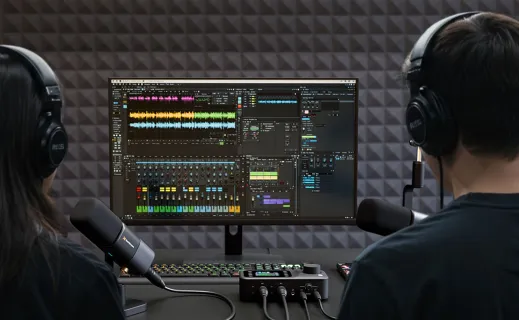
Condition 1: Two or more local voices on XLR microphones. This is the forcing case. The moment a co-host or in-person guest joins you, each voice needs its own input, its own gain setting, and its own monitoring. A single USB microphone can't accept a second mic; that's the mechanical end of the solo setup. If you record interviews face to face, you need a device with multiple mic inputs — the only remaining question is whether that device is an interface or a mixer (more on that distinction below).
Condition 2: You produce live or live-to-tape. Editing fixes almost anything — given time. If you stream your podcast live, or record live-to-tape to keep post-production near zero, then every adjustment must happen during the show: riding a loud guest's level, muting a mic when someone coughs, fading in a caller. That work requires physical controls you can reach without breaking eye contact with your guest.
Condition 3: You need to react to level changes in real time. Guests laugh louder than they talk. Some people drift off-mic; others lean in when they get passionate. If your format is unscripted conversation, levels move constantly, and "set it and hope" produces at least one ruined segment per month.
If zero conditions apply — solo, USB mic, scripted or calmly edited — skip the mixer and put the budget into your microphone and room. If even one applies, read on.
Mixer vs Audio Interface: What's Actually Different Under the Hood
Both devices do the same foundational work, so let's start with the first principles. A microphone produces a tiny analog electrical signal — far too weak to record. The signal chain that makes it usable is:
Microphone → preamp (boosts the signal to line level) → analog-to-digital converter (turns it into data) → your computer
An audio interface is that chain in a box: preamp, converter, USB connection, done. It's a pass-through — you set gain once per session, and everything else happens in software afterward.
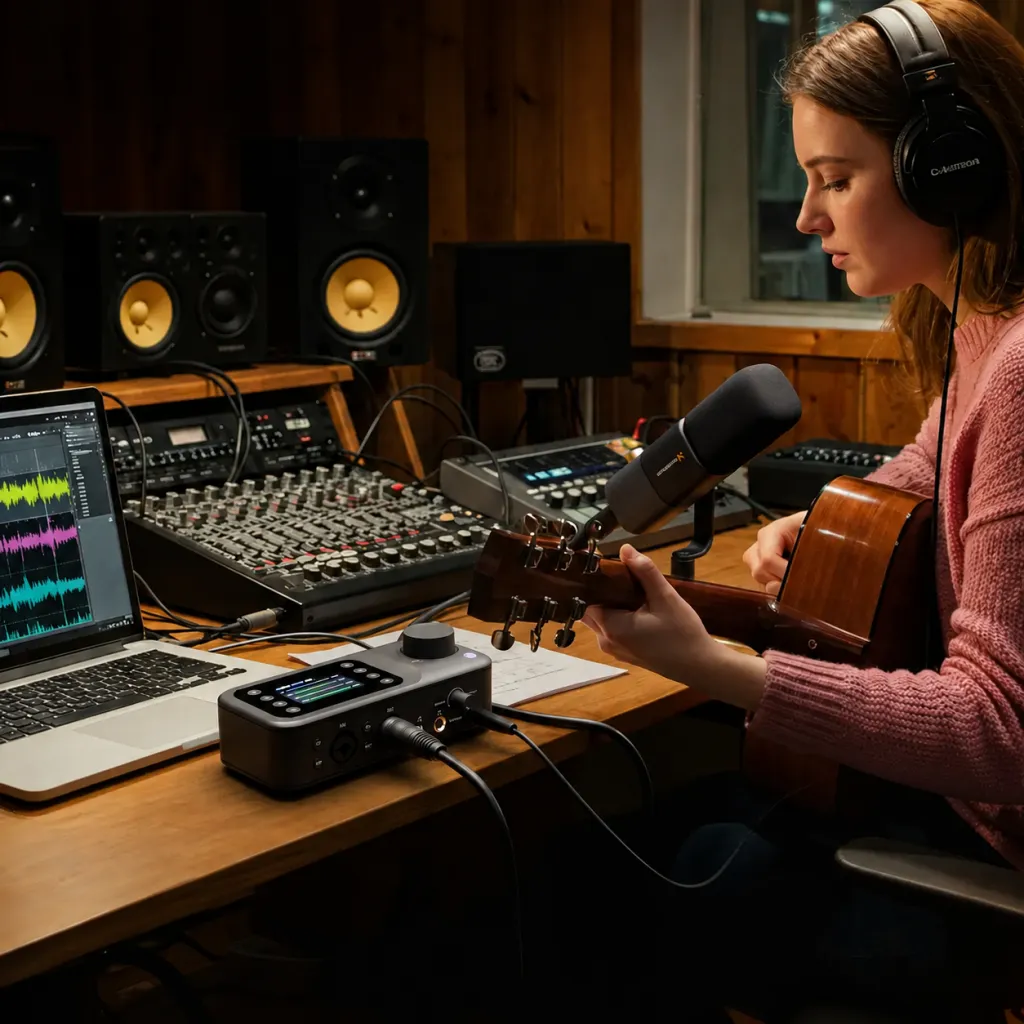
A mixer contains that same chain, then adds a second layer on top: a real-time control surface between the preamps and the computer. Per-channel gain knobs, EQ, monitoring mixes, and routing decisions all happen in hardware, with your hands, while the show is running. The distinction isn't sound quality — it's when and where control happens: after recording (interface + software) or during it (mixer).
Dimension
Audio interface
Podcast mixer
Core job
Get clean signal into the computer
Control multiple signals in real time, then send to computer
Level adjustments
Set once; changes via software
Continuous, physical, mid-recording
Controls
Minimal (gain, maybe a monitor knob)
Per-channel gain, EQ, monitoring, routing
Feedback
Software meters on screen
Hardware meters / LCD on the device
Live production
Awkward (latency, mouse-driven)
Native — built for it
Learning curve
Near zero
A weekend of experimentation
Best fit
1–2 voices, edited shows
2+ voices, live or live-to-tape
The non-obvious dimension in that table is feedback location. On an interface, the truth about your levels lives on your computer screen — behind your recording software window, where you won't look during a conversation. On a mixer with hardware metering or an LCD screen, the truth sits on the desk between you and your guest, in your peripheral vision. You catch a creeping-hot channel because you can see it. That glanceable feedback is the unglamorous feature that saves episodes.
One more clarification, because the terminology has genuinely blurred: many modern "podcast mixers" are interface-and-mixer hybrids, sending their output to your computer over a single USB-C cable. You are rarely choosing between two device categories anymore; you're choosing how much real-time control you want in the same box.
Why Per-Channel Gain Is the Feature That Saves Episodes
Every experienced podcaster eventually tells the same story, so it's worth unpacking why this single capability carries so much weight — three layers down.
Layer 1 — the advice: every voice in your room needs its own gain control, set independently before you hit record.
Layer 2 — the direct reason: voices differ wildly in level. A soft-spoken guest next to a booming host can sit 15 dB apart. One shared gain setting cannot serve both: set it for the quiet voice and the loud one overloads; set it for the loud one and the quiet voice vanishes into the noise floor.
Layer 3 — the root cause: recording happens at fixed resolution. When a signal clips (exceeds the maximum the converter can represent), the peaks are permanently sliced off — the information is gone, and no plugin can reconstruct what was never captured. Meanwhile, a channel recorded too quietly must be amplified in post, which amplifies the room's noise floor by exactly the same amount. You don't get a louder guest; you get a louder guest plus louder hiss, hum, and HVAC.
The common misconception that sits on top of all this: "I'll fix it in post." Post-production can rebalance levels between clean tracks, remove some noise, and smooth some dynamics. It cannot un-clip distortion, and it cannot create signal-to-noise ratio that wasn't captured. This is why the veteran advice "get it right at the source" isn't purism — it's math. And getting it right at the source, with two or more voices, is definitionally a per-channel gain job watched on a real meter. That's a mixer.
What to Evaluate When Choosing a Podcast Mixer
Once you've established that you need one, five specifications do most of the deciding. In order of importance:
1. Mic input count — with headroom. Count your maximum simultaneous local voices, then add one. Two hosts? You want three inputs, because the third covers a surprise in-person guest, a phone caller, or a music source. Input count is the one spec you cannot upgrade later — a two-input box is a two-voice ceiling forever. Undersizing here is the single most common mixer regret.
2. Preamp gain. The preamp determines how quietly a microphone can speak and still be heard cleanly. Some popular broadcast microphones are notoriously gain-hungry; weak preamps force you to crank the gain to maximum, where hiss creeps in. You won't find a universal "preamp quality score" on spec sheets, but generous clean gain headroom is what separates mixers that work with any microphone from mixers that quietly dictate which microphones you can buy.
3. 48V phantom power. Condenser microphones require it; the mixer supplies it over the XLR cable. Without switchable phantom power, your mixer locks you into dynamic mics only — a needless constraint on future microphone choices.
4. USB-C computer connection. This is what makes a modern podcast mixer a one-cable device: all your channels flow to your recording software over a single USB-C cable, and the mixer doubles as your audio interface. Check whether your software sees a stereo mix or individual channels — a stereo mix is fine for live-to-tape, while per-channel (multitrack) output preserves maximum editing flexibility.
5. Monitoring and guest inputs. At minimum, a headphone output with its own volume. For interview formats, look for a Bluetooth or phone input that folds a remote caller into the same gain-and-monitoring workflow as your in-room mics — no separate software bridge, no speakerphone echo hacks. An LCD screen or per-channel meters, per the earlier point, is worth real money for the feedback it gives you mid-sentence.
A useful way to apply this list: treat specs 1–3 as the gate (a mixer failing any of them is out, regardless of other features) and specs 4–5 as the ranking (among survivors, these decide which fits your workflow).
Stereo Mix vs Multitrack: A Fork You Choose at Purchase Time
Here's a first-principles point most mixer reviews bury. When your mixer's USB cable reaches the computer, your recording software receives audio in one of two ways, and the difference is permanent at recording time.
A stereo mix sends one combined left-right track: all voices, the caller, the music, blended by the mixer's settings into a single finished file. What you rode live is what you have forever. A multitrack feed sends each input as its own separate track, so your guest's voice, your voice, and the caller each arrive as independent files you can rebalance, clean, and edit individually afterward.
The trade-off runs deeper than flexibility. Stereo mix rewards good live technique — your gain staging is the final product, which is exactly what you want for live-to-tape speed — but every mid-show mistake is permanent. Multitrack forgives live mistakes in post, but quietly reintroduces the editing time you may have bought a mixer to avoid. So the real question is: which side do you want your mistakes to live on? If your show is edited anyway, multitrack is pure upside. If your entire workflow bet on "record, trim the ends, publish," then a clean stereo mix is the feature — and the mixer's live controls are your safety net instead of your editor.
Check this spec explicitly before buying, on both sides of the cable: whether the mixer sends discrete channels, and whether your recording software receives them. A mixer that outputs multitrack into software that only records stereo quietly collapses back to a stereo mix, and you'll discover it the first time a guest clips.
The Three Mistakes That Fill the Second-Hand Market
Browse used-gear listings and you'll meet the same three sellers, each parting with a mixer they bought six months ago.
The undersizer. Bought a two-input box for a two-host show, then booked an in-person guest in month three. Input count can't be expanded, so the mixer goes on sale and a bigger one gets bought — the exact double-spend the headroom rule exists to prevent. Count your future voices, not your current ones.
The feature shopper. Bought for the demo-reel features — sound-effect pads, voice changers, dozens of scene presets — and discovered that none of them matter when a guest's clipping channel needs attention now. Entertainment features are legitimately fun for live-streamed shows, but they're seasoning; gain staging, preamp quality, and monitoring are the meal. Buy the meal first.
The monitoring ignorer. Never checked the headphone situation, then learned during the first recording that one shared headphone output means two hosts trading one set of ears — or worse, nobody monitoring at all. The episode where a loose cable buzzes for forty minutes because nobody was listening is a rite of passage you can skip entirely by treating headphone outputs and independent monitor volume as a first-class spec.
The pattern underneath all three: each mistake comes from evaluating a mixer as a feature list rather than as the live control surface for your specific format. The evaluation framework in the previous section is ordered the way it is precisely because inputs, preamps, and monitoring fail you on recording day — while the features that dominate marketing pages mostly fail you never.
Match the Mixer to Your Format
The framework above lands differently depending on your show. Three typical configurations:
Two hosts, same room, edited episodes. Two XLR microphones, one compact mixer, headphones for both. Set per-channel gain during a thirty-second soundcheck — have each person speak at their loudest, because soundchecking at conversation volume is how clipping sneaks in at the first big laugh — and the mixer mostly disappears after that. Your priority ranking: input count and preamp quality first; you can live without Bluetooth. The workflow payoff shows up on the day a guest runs unexpectedly hot: instead of stopping the conversation to fumble through software menus, you roll one knob back two notches while nodding along, and the episode continues as if nothing happened. That uninterrupted moment is, in miniature, the entire case for the device.
Interview show with remote call-in guests. Your in-room mics run on XLR as above, and the guest arrives by phone or Bluetooth into the mixer. The caller's voice flows through the same gain staging and monitoring as everyone else's, and — critically — your local mics don't bleed back to the caller as echo, because the mixer handles the routing. This is the setup that used to require a dedicated "phone hybrid" device; it's now a checkbox on a compact mixer.
Four-person roundtable. Four mics, four gain stages, four sets of ears. Two paths exist: a single larger mixer, or two linked portable mixers feeding one computer. The linked-pair approach has a quiet advantage — your first mixer isn't stranded when you grow. Two NearStream AMIX40U units, for example, connect over a 3.5mm AUX link so a two-mic starter setup scales to four microphones without replacing the original hardware.
Where the NearStream AMIX40U Fits
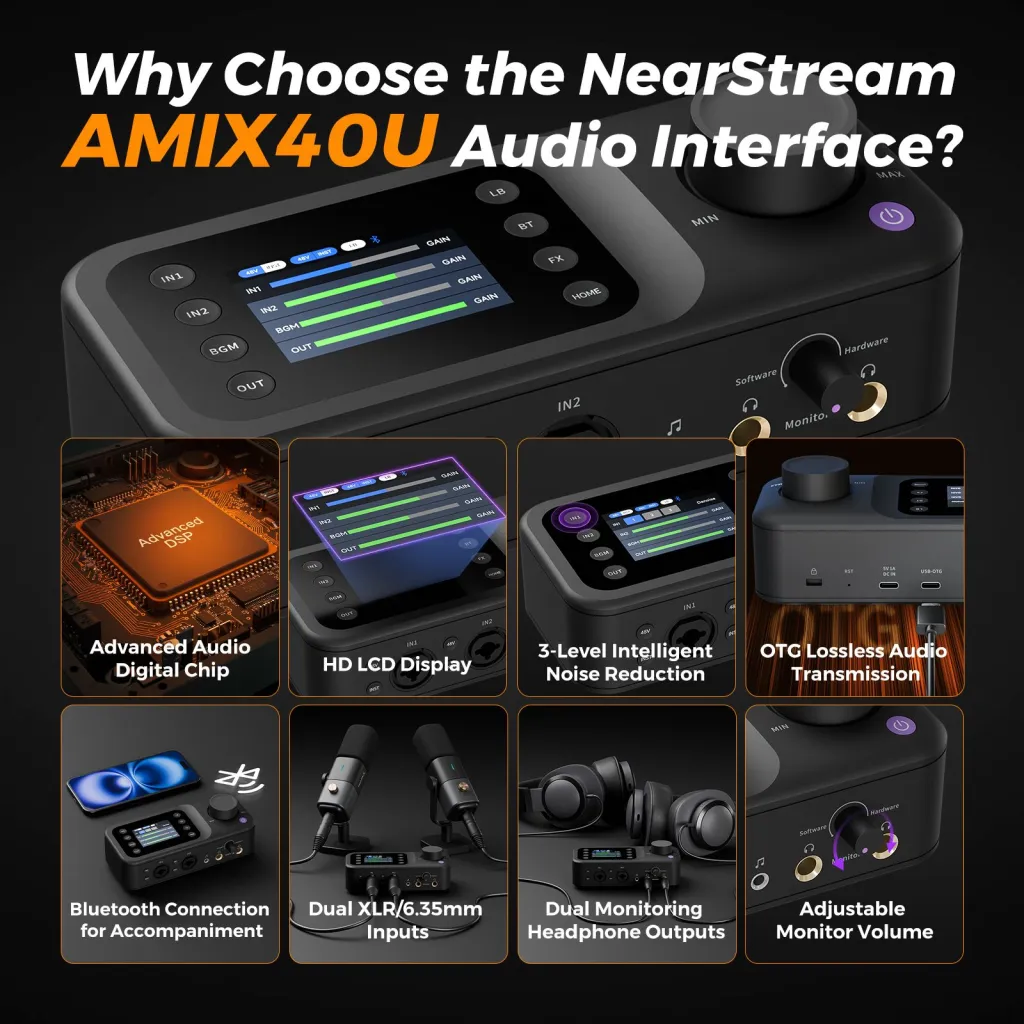
The AMIX40U portable audio mixer is built around exactly the checklist above: dual XLR/6.35mm inputs with pro-grade preamps and 48V phantom power, ten channels of routing, a Bluetooth input for call-in guests, an LCD screen that keeps your levels visible without touching the computer, and a single USB-C connection to PC or Mac that makes it interface and mixer in one box.
The design intent is the "condition 1–3" podcaster from the opening filter: two local voices today, real-time control without an audio-engineering degree, and an upgrade path — via the two-unit AUX link — that doesn't punish you for starting small. Pair it with AM25X USB/XLR microphones and the whole audio side of your studio runs on two XLR cables and one USB-C cable. If you'd rather have the compatibility questions answered in one purchase, the matched podcasting bundles from NearStream combine mixer, microphones, boom arms, and cables in one configured set.
Your Next Step
Run the three-condition filter: two-plus local voices, live production, or real-time level control. If one applies, size by input headroom, verify preamp gain and phantom power, and insist on USB-C connectivity — the rest is preference. If none apply, the correct mixer purchase today is no mixer at all — revisit the decision when your format changes, and it will change as your show grows.
Still deciding on microphones first? Our guide to the best budget podcast microphone covers the USB-vs-XLR decision that determines whether you need a mixer at all. And to see what each tier of full setup — mixer included — actually costs, check the podcast equipment cost breakdown by tier.
Frequently Asked Questions
Do I need a mixer for a solo podcast?
No — and buying one early is the most common gear mistake solo creators make. A USB or hybrid USB/XLR microphone plugged directly into your computer, recording into free software, covers everything a one-voice show needs. The mixer's moment arrives with the second local voice, a live format, or a call-in workflow. Until then, the same money goes further on microphone quality or room treatment, both of which actually change how you sound.
What is the difference between an audio mixer and an audio interface?
Both boost your microphone's signal with preamps and convert it to digital for your computer — that part is identical. The difference is the control layer: an interface is a pass-through where you set levels once and adjust in software later, while a mixer puts per-channel gain, monitoring, and routing under your hands in real time. For edited shows with one or two calm voices, an interface suffices. For live production or unpredictable multi-voice conversations, the mixer's physical, glanceable control is the point. Many modern podcast mixers combine both roles over a single USB-C cable.
How many channels do I need on a podcast mixer?
Count your maximum simultaneous local voices and add one input of headroom. A two-host show wants three available mic inputs; a four-person roundtable wants five. The headroom matters because shows grow in the direction of more people — a guest joins in person, a caller patches in, a co-host becomes permanent. Since input count can never be upgraded after purchase, it's the one place where buying slightly ahead of your current needs is rational rather than wasteful.
Do condenser podcast microphones need phantom power from the mixer?
Yes — condenser capsules are powered devices, and the mixer's 48V phantom power travels down the same XLR cable that carries the audio back. Without it, a condenser produces no signal at all. Any mixer on your shortlist should offer switchable phantom power on every mic input. Dynamic microphones ignore phantom power harmlessly, so having it available costs you nothing and keeps both microphone families open as your kit evolves.
Can I connect two mixers together for a four-person podcast?
With some portable mixers, yes — and it's a genuinely budget-friendly growth path. Two NearStream AMIX40U mixers link over a 3.5mm AUX connection, combining into a four-microphone rig that feeds a single computer over USB-C. The appeal is that your original mixer remains useful rather than being replaced. Not every mixer supports linking, so if a growing panel is plausible for your show, verify this capability before your first purchase — it's much easier to plan for than to retrofit.














































































 sales@nearstream.us






